Free for Mac, iPhone and Android
Meridian.
Every time zone at a glance. In your menu bar, on your phone, and in widgets.
Mac · iPhone · Android · Open source
Meridian
+ Add City ✎ Edit
⋯
Simple on purpose.
At a glance
Day and night, side by side. One row per city. Every column is the same moment everywhere.
Plan ahead
Travel through time. Drag, scroll or click any hour. Now snaps you back.
Meetings
See when everyone’s working. A white mark lights up the hours that work for every city.
Your list
Add, remove, reorder. Search by city, airport code, PST or UTC+5. Edit to delete or drag into place.
Share
Copy the moment. One click puts the time for every city on your clipboard.
My Location
Your city, wherever you are. Meridian adds the city you're in and keeps it current when you travel. Your location only names the city, and stays on your device.
Anywhere
Mac, iPhone and Android. Menu bar and desktop widgets on Mac. Home Screen and Lock Screen widgets on iPhone. Home screen widgets on Android.
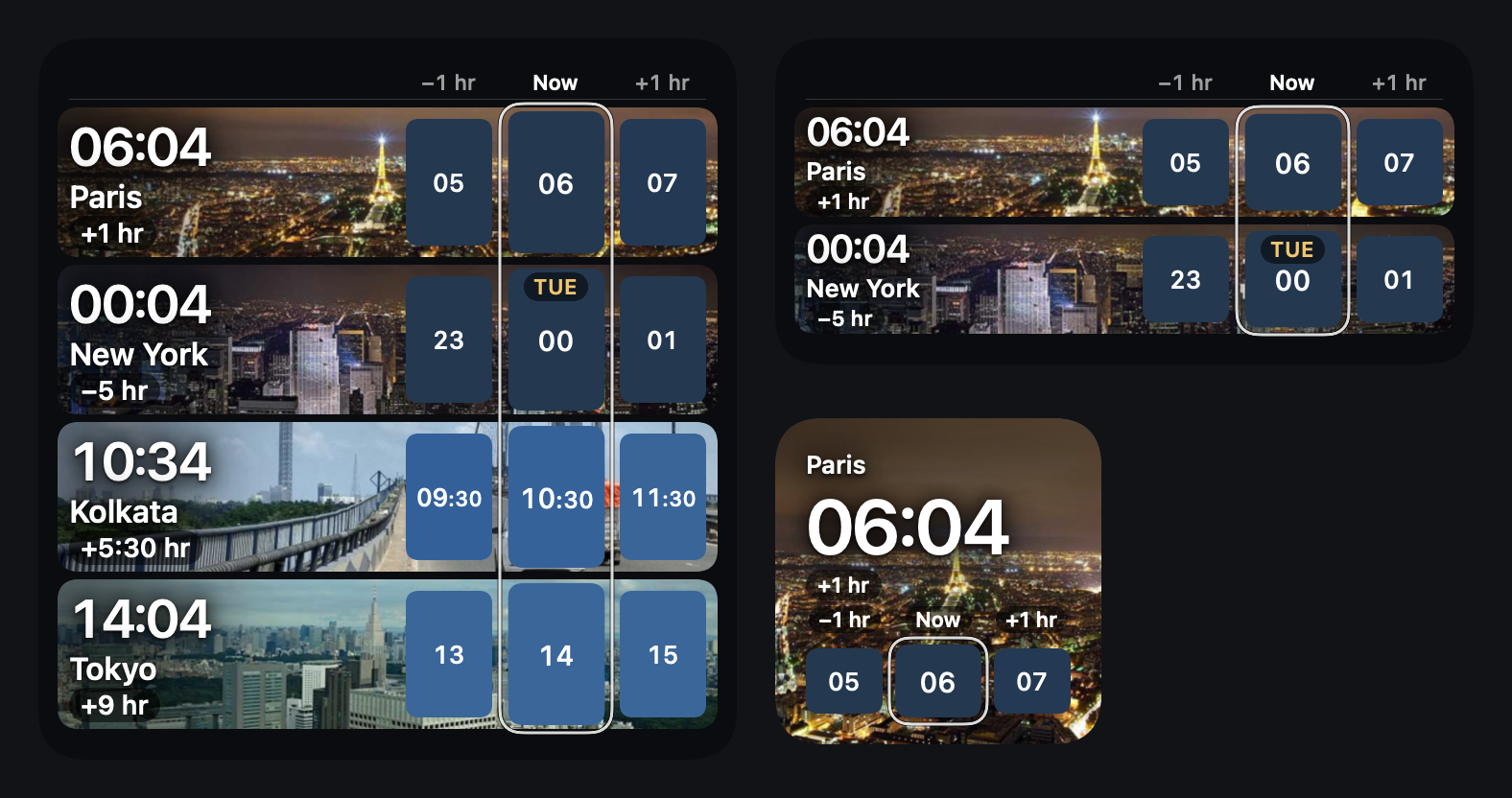
Add Meridian as a widget in three sizes on Mac, iPhone or Android. Choose the cities for each widget, or follow the ones in the app.
Get Meridian.
Mac
Menu bar and desktop widgets. Download Meridian.dmg and drag Meridian into Applications. Click the globe in your menu bar, then Add your cities.
Download for Mac macOS 14 or later · Apple silicon and Intel
Signed and notarized by Apple, so it opens like any app. Updates install themselves.
iPhone
Your cities, big and clear. Drag any city's day bar to move through time. Home Screen and Lock Screen widgets in three sizes.
Install on iPhone iOS 17 or later
App Store release coming soon. Until then, sideload the iPhone app file with AltStore or Sideloadly.
Find a Time — see when everyone is working across cities, then add it to your calendar or share an invite.People and groups. Public holidays count as days off.Clock-change alerts. Search 34,000 cities offline.A status line on every city: working or not, sunrise and sunset. Android
Same clock, same widgets. Download the APK on your phone and open it. If asked, allow installs from your browser.
Download APK Android 8 or later · Not on Google Play yet
Widgets: on Mac, right-click your desktop and choose Edit Widgets . On iPhone, touch and hold the Home Screen, then tap Edit . On Android, touch and hold the home screen, then tap Widgets . Search for Meridian .